Events and race preparation
ulTrain includes a community events directory for endurance and hybrid athletes - real races and long-distance challenges you can browse, favourite, review and train for. The directory is free for everyone; the race tools that build on it are part of ulTrain Pro.
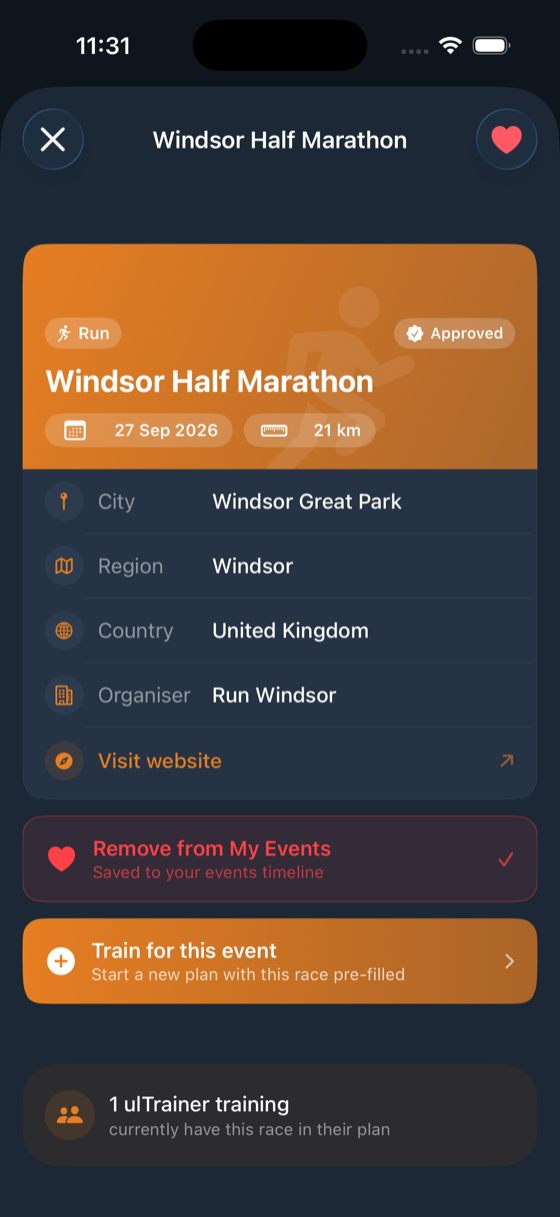
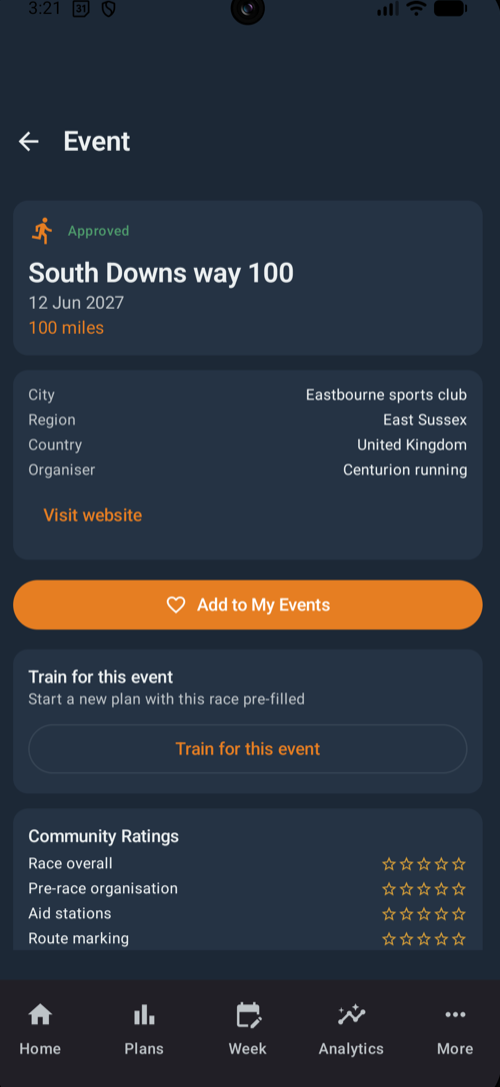
Find an event
Search the directory by name or location, and switch between the All, Favorites and My Events chips. Filters narrow the list by activity (Run, Walk or Hike), distance (under 25 km, 25–50 km, 50–100 km or 100 km and over) and season, and you can sort by date, name, distance or popularity. Only approved events are listed, so everything you find has been checked first.
The race detail page
Open an event to see its date, distance, location and organiser, with a Visit website link for entry details. Tap Add to My Events to favourite it, or Train for this event to jump straight into the plan wizard with the race pre-filled. Community Ratings show the average score with a per-category breakdown, alongside reviews from athletes who have run it and a count of how many ulTrainers are training for it. Use Write a Review to add your own experience, or Report this event if the details look wrong.
Train for an event
Link a race to a plan from the event page, or use Find Event inside the plan wizard - either way the race details are pre-filled. See Plans & weekly planner for building the plan itself. As race day approaches you get countdown notifications at 14, 7 and 1 days, and event plans show a Race Preparation readiness card plus a Progress tab (Pro) with actual-versus-target charts.
Add a missing event
Choose the activity and type the race name - ulTrain shows close matches as you type ("Did you mean one of these?") to avoid duplicates.
Pick a preset from 5K up to 100 miles, or enter a custom distance.
City or location, county or state, country, the organising company and the event website.
Submitted events are reviewed before they appear to everyone in the shared directory.
Review a race
After you complete a plan linked to an event, ulTrain prompts you to review it - or tap Write a Review on the event page at any time. A review scores five categories out of five stars - Pre-race organisation, Aid stations, Route marking, Mandatory kit relevance and Race overall - with optional comments. Like events, reviews are checked before they are published.
Manage your submissions
Go to Settings → My Events or My Reviews to see everything you have submitted, each badged Approved, Pending or Rejected. Rejected items show the reason alongside an Edit & Resubmit option. An event that already has reviews can't be deleted.
Race tools (Pro)
Event Predictor estimates finish times for distances from 5K up to 100 miles - plus custom distances - from your recent logged races, with sliders to adjust for elevation and aid-station time; each prediction links through to a Pace plan. Pace Strategy turns a target time into per-kilometre splits. Race Fuel Plan builds your race-day nutrition - see Nutrition & kit.